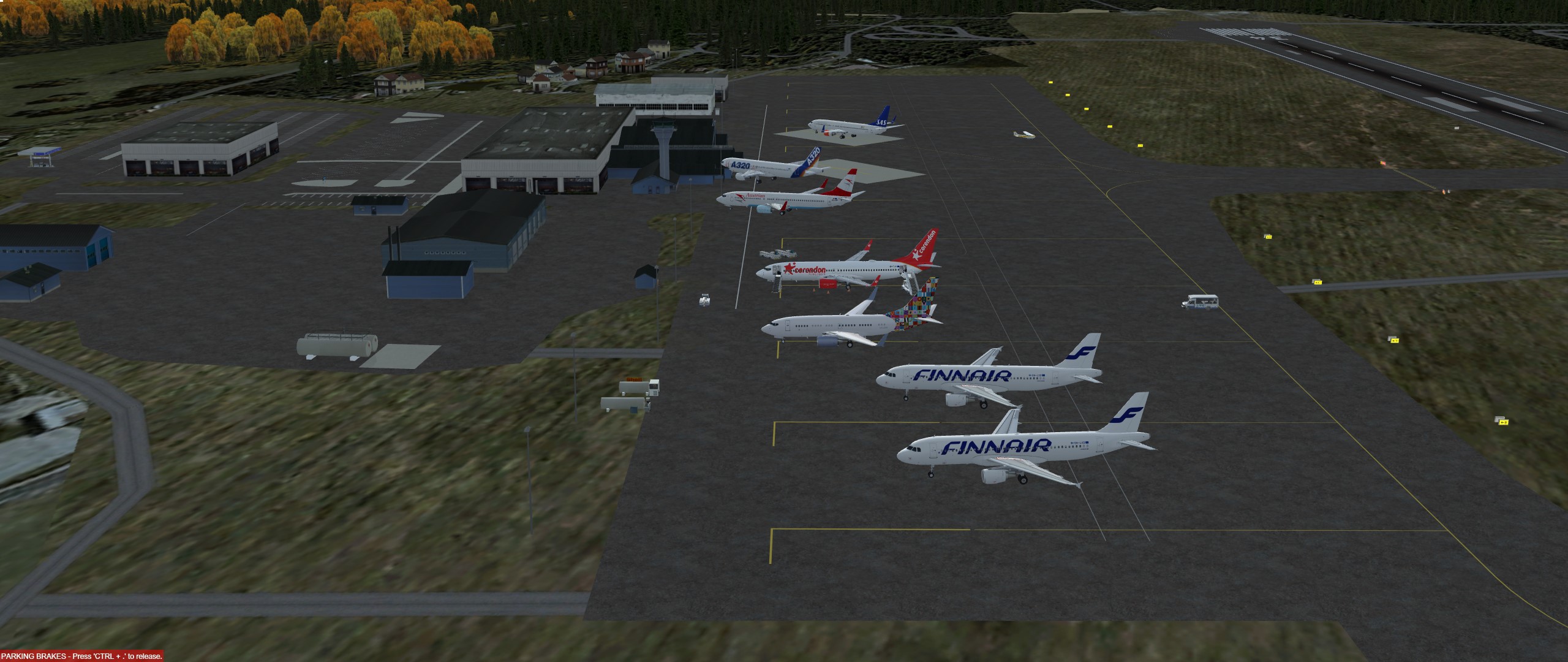

Beiträge von RoyalToto
-
-
Flugplanung zum 955.sten KuMi am 23. September 2020
So, oder so ähnlich könnte die Ansage morgen aus dem Cockpit lauten:
Meine Sehr geehrten Damen und Herren, liebe Kinder. Im Namen von Air Malta heiße ich sie herzlich willkommen an Bord unseres BAE RJ70 auf dem Flug von „Skiathos“ nach „Reggio Calabria“ Wir werden Skiathos „Alexandros Papadiamantis“ heute in nördliche Richtung verlassen um mit einer weiten Rechtskurve zuerst über den nördlichen Teil der Insel Skopelos um dann noch einmal Skiathos von Ost nach West zu überfliegen. Unsere Route führt uns dann über den Pagasitischen Golf, auf das Griechische Festland. Wir werden die Region Thessalien in nord-westliche Richtung überfliegen und nachdem wir die Region Epirus und die Insel Korfu überflogen haben, das Ionische Meer (wie man diesen Teil des Mittelmeers nennt) erreichen. Dieses werden wir in Süd-westliche Richtung Überliegen. Etwa 25 Minuten später werden wir das Italienische Festland bei der Stadt Crotone erreichen. Ab da geht es dann bald in den Sinkflug in Richtung unseres Ziels, „Reggio Calabria“.
Das Wettervorhersage für heute Abend für unser Ziel sagt einen leichten Wind aus nördlicher Richtung mit 17 km/h voraus. Der Himmel ist bewölkt und die Temperatur liegt bei ca 24 Grad. Um unsere Ankunftszeit, wird mit einem hohen Verkehrsaufkommen für den Flughafen „Reggio Calabria“ gerechnet. Dieses in Kombination mit einer ungünstigen Windrichtung. Somit kann es sein, das wir sogenannte Warteschleifen drehen müssen und unsere Ankunftszeit sich auf 22:00 lokaler Zeit verspätet.
Durchschnittlich 40Kt Gegenwind ergeben heute eine geplante Flugzeit von 01:18. Unsre Flughöhe wird 28.000 Fuß betragen. Das sind umgerechnet 8.500 Meter. Während des Fluges serviert Ihnen unsere Crew ein leichtes Abendessen.
Bitte öffnen sie jetzt die Sonnenblenden und folgen Sie den Sicherheitsanweisungen der Kabinenbesatzung. Wir wünschen Ihnen und uns einen guten FlugDas Routing: LGSK/01 EVIKO1B EVIKO W58 AGH UV651 YNN UM600 KRK UL869 LATAN L869 CDC L137 GIMEL GIMEL1A LICR/33
(FPL-AMC941-IS
-RJ70/M-SDFGR/S
-LGSK1840
-N0420F280 EVIKO1B EVIKO W58 AGH UV651 YNN UM600 KRK UL869 LATAN L869 CDC L137 GIMEL GIMEL1A
-LICR0118 LICC
-PBN/D2 DOF/200923 REG/GRJSR EET/LIBB0036 LIRR0053 OPR/AMC RVR/075 RMK/TCAS KUMI)
Sprtitplanung@
TRIP 3464 0118
CONT 3% 104 0002
ALTN 1025 0020 LICC
FINAL 908 0030
ADDNL 2801 0100
PLN TOF 8302 0310
TOF 8302
TAXI 454
BLOCK 8756
Kurz vor der Landung dann:
Wir sind gerade informiert worden das der uns bekannte Capt. Detlev gerade gelandet ist. Wenn der es geschafft hat, dann versuchen wir das jetzt auch ein, zwei mal......
Freu mich! Bis morgen. -
Habe Ihn grade angeschrieben. Er hats vergessen
Zitat
Okay kommt nach meinem Urlaub -
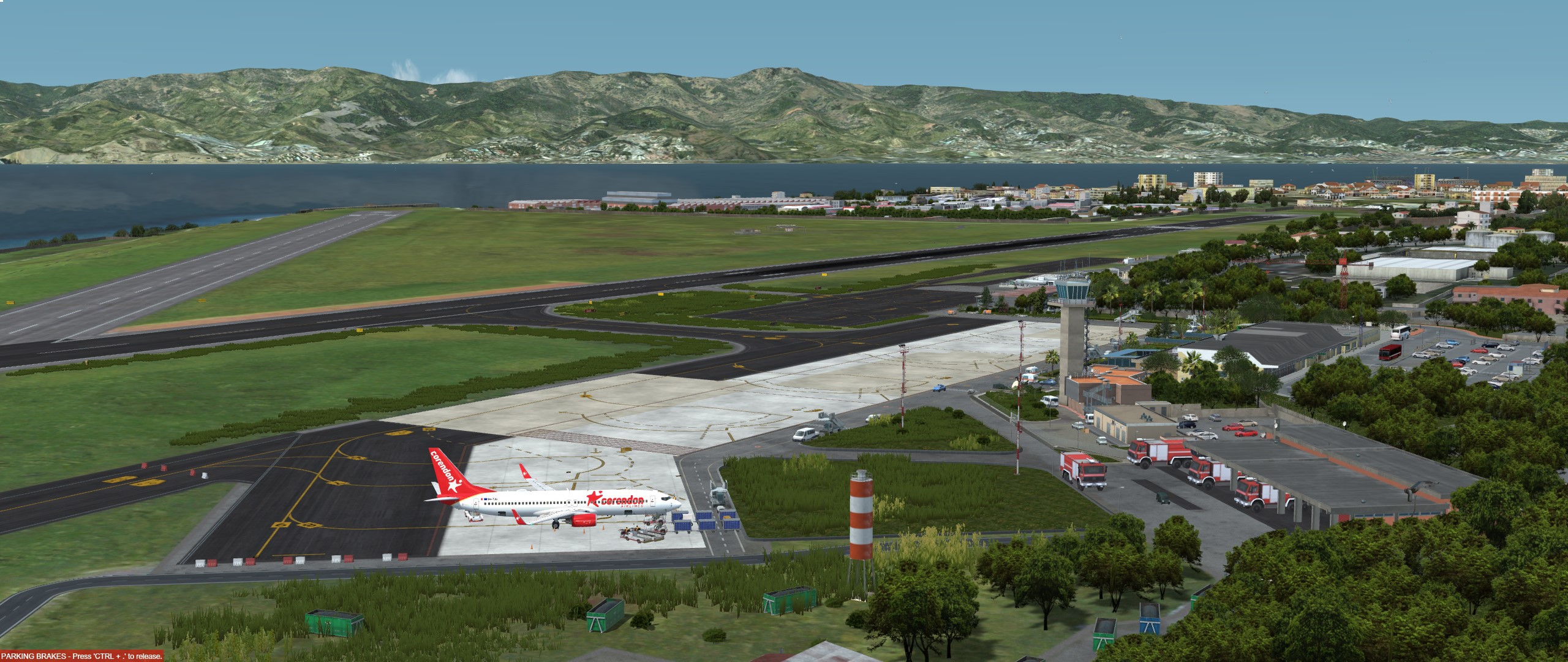
Sehr schön hier!
-
Auch nen schicker LKW. Glückwunsch und viele Knitterfreie Kilometer.

Da lasse ich mal Bilder Sprechen.
Die Geschwindigkeitsbegrenzung hat auch was gutes.
So einen score schaffe ich in Deutschland nie. 😬
Habe gestern nicht gesehen, das die Bilder nicht dabei waren.
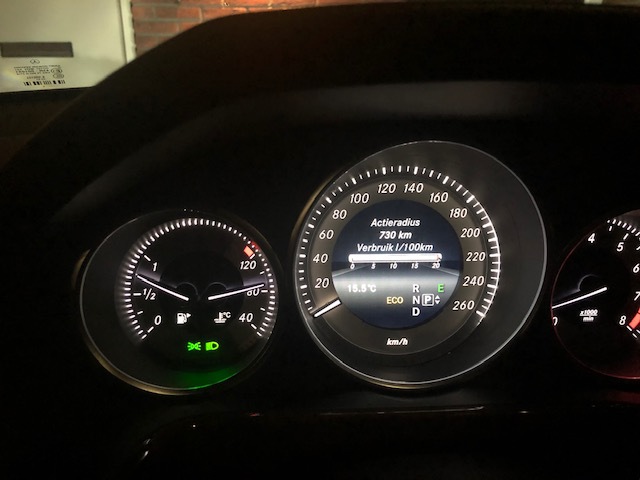
Darum liefere ich die jetzt mal nach:Als ich das Auto gekauft habe, dachte ich noch: "Driverscore - so ein Schwachsinn! Nutze ich nie". Ich muss aber zugeben, das es mich doch irgendwie triggert, 100% sind jetzt eher selten.
Aber den wagen mal rollen zu lassen, vorausschauend zu fahren, oder mal nicht die ganzen 211PS an der Ampel los zu lassen helfen ungemein. Wobei da die 350NM, die schon ab 1200Umdrehungen anliegen ziemlich gut helfen. Man braucht den Motor (ein E250) nicht erst hoch zu drehen. Witzigerweise ist der M274 der sparsamste Motor im W212
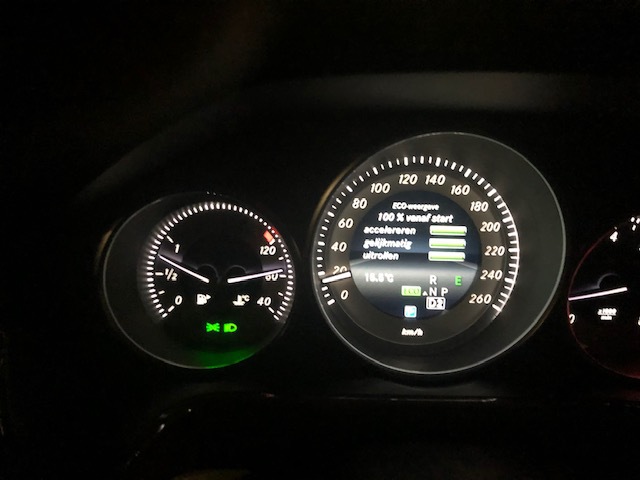
Jetzt kommt da die Geschwindigkeitsbegrenzung von 130 (Tagsüber 100) zu tragen.
Bei Mercedes wird dieser Motor mit 5,8–6,1 l Super angegeben. Stimmt
Das untere Bild ist gestern auf der Heimfahrt von der Firma entstanden. Ist ein guter Drittelmix mit Ampeln.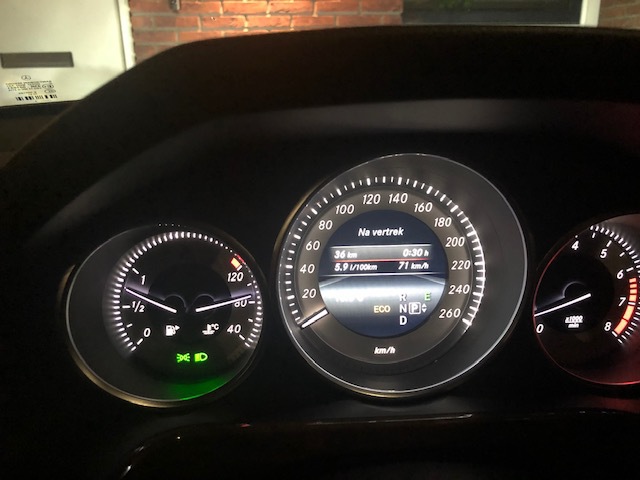
Und in den Niederlanden komme ich auch immer knapp 1000km mit einem Tank,
In Deutschland eher weniger

-
Bevor Ihr jetzt alle Sachen rumtweakt und Euch ärgert.
Wartet doch erstmal und genießt das VFR gefliege.
Ist der SIM schon ausgereift? Nein.
Macht er sau viel Spaß? Yep.
-
Da lasse ich mal Bilder Sprechen.
Die Geschwindigkeitsbegrenzung hat auch was gutes.
So einen score schaffe ich in Deutschland nie. 😬
-
@Boris. Nimm mal 2 Stunden add fuel mit 😂
-

Was darf der XC70 denn ziehen???
Och bestimmt so 25 Tonnen

-

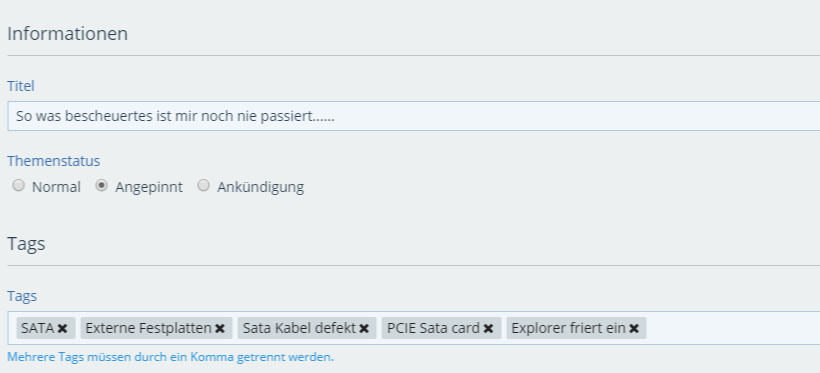
Es wäre sicher hilfreich den Titel entsprechend anzupassen. Der Jetzige ist sicher nicht ziehlführend für den oder die Suchenden.
Deswegen habe ich Tags benutzt

-
Na, da haben ja alle mal 2 Punkte gemacht
-
.....aber vielleicht hilft mein Erfahrungsbericht ja Jemandem.
Vor Kurzem habe ich mir ja ein neues Mainboard B450 GAMING PLUS MAX (MS-7B86) und einen AMD Ryzen 7 3700X gekauft. Soweit so gut.
Das Board hat 6 Sata Anschlüsse. Reicht. Was nur dumm ist, wenn man eine M2 SSD einbaut, reicht es nicht mehr, da er dafür 2 SATA Ports aufgibt.
Was tun? Board zurück geben (obwohl ich sehr zufrieden war? Ich hatte auch noch einige 250er SSD rumfliegen. Die auch schon nicht mehr ans alte Board passten.
Neeee, da gibt es was anderes.
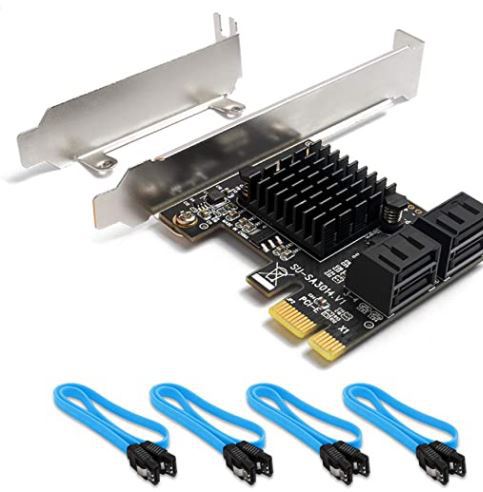
Eine QNINE PCIe SATA card mit vier Anschlüssen. Prima! Dann kann ich gleich noch die anderen SSD anhängen.
Gesagt, getan. Das Ding bestellt und installiert. Fluppte auch sofort. Bis zum Microsoft Flight Simulator update. Der wollte irgendwie nicht. Alles mögliche versucht.
Sogar nen neuer Download brach immer wieder ab. Schiet Mircosoft! Ich habe wirklich alles versucht....Bis, Mensch. Vielleicht hat ja der SATA Controller einen wech.....Also Festplatte umgestoepselt und er lief. Nachts den download durchlaufen lassen und alles gut. Heute morgen mal ne andere Platte angeschlossen (an den doofen controler und rumms, der Explorer hing sich wieder weg.
Neu gestartet und weiter versucht.....hmmmm, 2 von drei Platten die am Contoler hingen konnte ich Ohne weiteres ansprechen. Die dritte auch, aber sobald ich da große Daten hin schieben wollte, war nach ca 10 Sekunden der Rechner eingefroren.
Nun musste ich zur Arbeit. Dort hatte ich Zeit um noch ein wenig zu Googlen.Ein Ergebniss sprang mir sofort ins Auge:
Wie kann ein SATA-Kabel kaputt gehen!?
Als ich jetzt grade zu Hause war, habe ich mir aus meinem Fundus ein Kabel geholt, das alte (neue) abgestoepselt und das neue (alte) drann. Seit dem rennt alles wie es soll.
Dafuer habe ich mal nen ganzen morgen versemmelt.
Jetzt habe ich das Kabel mal durchgemessen und siehe da, an einem Pin ist der Wiederstand viel höher als an den Anderen. So was bescheuertes ist mir noch nie passiert......
Was ich aber auch gefunden habe. Solltet Ihr zusätzliche Laufwerke (PCIE SSD / USB Platten, etc.) verbaut haben, werden die in Windows oft als "externe" Festplatten angezeigt.
Wenn Ihr die als ganz normale Platten und nicht doppelt sehen wollt ist folgendes die Lösung:
In der Registry (mit regedit) zu
HKEY_LOCAL_MACHINE\SYSTEM\ControlSet001\Services\storahci\Parameters\Device
Auf der rechten Seite mit rechtsklick einen neuen "Multi-String" Wert erstellen mit dem Namen "TreatAsInternalPort" (also ohne Gänsefüßchen)
Doppelklick auf den Wert um Ihn zu editieren.
Dann Anfangen mit der 0 und weiter (Achtung Wichtig!!!) untereinander Nummerieren.
Bei mir sieht das dann so aus:
0
1
2
3
Ich habe also vier zusätzliche Ports (wobei im Moment nur 2 Platten dran hängen.
Das sieht dann so aus:

Die Platten G und L hängen an der SATA Karte.
Vielleicht hilft es ja dem Einen, oder anderen.
Empfehlen um die Platten zu testen kann ich übrigens Magician Software von Samsung (wenn man Samsung Platten hat.So, ich haue mich hin. Gute Nacht
-
-
Schicker Laster!
Viel Spaß damit. -
Very nice!
Die I-ten bin ich schon von Jacksonville bis nach Tucson gefahren. Die Gegenrichtung von LA bis nach Phoenix. Mir fehlen nur noch die paar Kilometer zwischen Tucson und Phoenix. -
Sorry Jungs,
habe den Link erst mal raus genommen.
Sollte sich rausstellen, das es wirklich Freeware ist, können wir Ihn wieder rein nehmen.
-
-
Sehr Geil! Vor allem die Suppe!
-
Bitte in die Statistik aufnehmen: Erster Sieg mit MSFS2020
War nen geiler KuMi. Danke!
Glückwunsch Miguel
-