


Ok, aber das sind alles Optische Verbesserung, ändert daran nichts, dass der Flieger sich sehr gut fliegt und merkst als Simmer ob die Maschine fast am MTOW ist oder leer ist.
Das hast Du mit den Inibuilds Flieger ja nicht, dort ist egal was für ein Payload Du hast, die fliegen sich immer gleich
Beiträge von MUSC
-
-

Bitte einfach bei BeyondATC als Bug melden.
Danke dir
Schon erledigt, habe denen hier eine Email geschickt: support@beyondatc.net
Ist nicht nur dass, z.B. in EDDB bekomme ich erstmals die Freigabe zur Landung von der Tower und 3/4mn vor der Landung, sagt er mir, increase Speed to 250kts

Oder in EDDM, wenn Wind Variable ist, dann landen oder starten die Maschinen auf der 26L/R, das versteht aber BATC nicht, lässt immer von der 8L/R Landen und Starten, habe schon vor Monaten gemeldet, bis heute kam nichts
-
Nein, keine
-
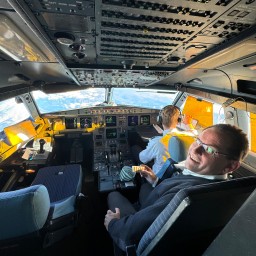
Welche Hardware von WINCTRL nutzt du mit Mobiflight?
Diese Aerosoft A340-600 Winctrl Efis-FCU Capt/FO MCDU Capt und auch den Joystick
Aerosoft A340-600 Winctrl Efis-FCU Capt/FO MCDU Capt - MSFS Add-on - Flightsim.to✓ For Microsoft Flight Simulator: This add-on provides a Mobiflight profile for the Aerosoft A340-600, supporting the Winctrl FCU and EFIS for both captain and…flightsim.toDie Throttle habe ich die von Thrustmaster
-
Das mit den Speed nervt
Ich fliege gerade nach KDTW, die Charts sagen MAX 210KT, bin ich auch und BeyondATC die ganze Zeit, "Resume normal Speed" oder "increase speed 250kts"

Screenshot 2026-04-16 213026.png
Screenshot 2026-04-16 213037.png
-

Habe mir das "expliziet" bei diesem Addon auch anders Vorgestellt. Es sollte ja alles bei diesem Produkt anders, besser sein was insbesondere Support/ Updates etc. angeht. Wirklich, wirklich schade...
Ich habe mit der A340-600 Aerosoft/Toliss mehr als 20 Flüge durchgeführt und hatte absolut keine Probleme
Ja, Grafisch konnte etwas besser sein, aber was Flugdynamik angeht, finde ich die Topp, absolut kein Vergleich mit den IniSchrott
Und die WinWing Produkte benutze ich, dank MobiFlight
-

Ah.. ist mir so noch nicht aufgefallen.. alles klar, danke

Sagte ich doch, gegen 9.30
jetzt sind die raus
-
Die kommen meistens einen Tag danach gegen 9.30
Wenn die Airacs bis (ein Beispiel) 15.08 gültig sind, dann sind die Online immer so gegen 9:30CET
-
Wenn ich das alles so lese, dann wird wohl PMDG das NOKIA der Flugsimulation.



Glaube ich absolut nicht
Zwar gibt es andere die vielleicht Graphisch etwas mehr anbieten, aber Flugdynamik sind die PMDG immer noch das Maß aller was Boeing angeht, freue mich schon auf der 747 und hoffe später kommt eine 787 und 779
Fenix ist heute, was PMDG zu P3D Zeiten war, was Airbus angeht
Trotzdem ist mir persönlich lieber mit einen Yoke zu fliegen, als mit so einen Airbus Stick, aber jeder hat seine Persönliche Vorlieben
-
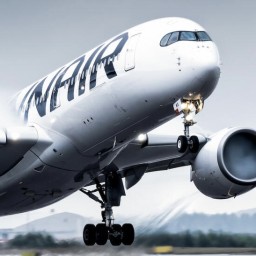
Die Stimmen des Local Voice Models mit deutschem Akzent haben mich heute auch überrascht - um es mal vorsichtig auszudrücken.
 Sonst bin ich aber bei dir und auch angetan von BATC und freue mich über die stetige Entwicklung. Fürs Offline-Fliegen ist das echt unverzichtbar geworden.
Ist aber in der Realität nicht anders, als in in den USA gelebt habe, konnte man die Deutschen schon von weiten erkennen und nur an den Akzent
-
Der Flieger wurde released
Schon jemand zugeschlagen?
NachtragWurde noch nicht released
-
Ist schon bekannt, wann das neue Service Pack kommt, mit den EFB?
-

Was meinst du genau mit passive? Ich schmeiß es nur an für aktuelles Wetter. Hab außer dem Aktualisierungs-Intervall und der "Dichte" der Wolken nichts geändert. Ich finde aber die Art der Darstellung und Schichten viel interessanter als das Standard-Wetter im FS. Welche Einstellungen hast du sonst noch gemacht?
Du kannst auswählen, ob active sky passive oder aktiv das Wetter über den Sim übernimmt
Ich benutze es passive, da bei active alle 30 Minuten eine hässlichen Übergang habe
Screenshot 2026-03-22 090056.png
-
Erster Flug mit Activesky, muss sagen, bin echt sehr positiv überrascht von dem Tool
ich mag den auch, aber ich benutze ihn als Passive, denn sonst gibt es diesen unschönen Wetter Übergang alle 30 Minuten
-
Also bedeutet diese X, dass es HGW haben
-
Gerade nachgeschaut, LH hat auf der D-AIHA bis D-AIHN die normale Version, D-AIHO bis D-AIHZ ist die HGW-Version.
Echt?
Derzeit fliegen nur die D-AIHZ und D-AIHY und mir wurde gesagt, es sein normale Varianten (von eine B789 LH Pilotin)
-
DU kannst im EFB wählen welche Version es ist, Lufthansa hat die Normale Version, auch Iberia
Ethiad hatte soweit ich mich erinnern kann die High Gross Weight -

Winde eingegeben?
Ja die werden immer importiert, auch die vom DES in der Forecast Page
-
Habe mal eine Frage zu Simbrief
Früher zur P3D/FSX Zeiten habe ich immer PFPX benutzt und nach der Flugplanung hat mehr oder weniger der Fuel gestimmt
Hätte ich beim der Planung im PFPX eine Final Fuel von 16t, dann sagte mir der FMC auch ca. 16t oder 15.9/16.1 usw.
Bei Simbrief und MSFS2020/24 mit den PMDG (aber auch mit der 737, A350 oder A380), stimmt es niemals überein
Fliege derzeit von KLAS nach EDDF, laut FMC habe ich eine Reserve Fuel von 17.9 in EDDF (siehe Bild), aber lauf SIMBRIEF Planung musste ich in EDDF 11.5t haben (siehe Bild)
Screenshot 2026-03-18 224001.png
Screenshot 2026-03-18 224403.png
Kann mir jemand dies erklären?
Wetter ist Live, Winde wurden importiert und Flugplan wurde im PMDG von Simbrief importiert und Profil habe ich 772GE gewählt, genau wie die Maschine
mache ich was falsch oder liegt es an Simbrief? -
FCU, ECAM und EFIS
MCDU nicht ganz, dort steht:
ZitatIMPORTANT NOTE!!!
Currently the screen display is not working. Aerosoft have said they are currently testing their hardware interface api and it will be released as soon as it is ready. Once we have the details of this we should be able to add screen compatibility.
All buttons and LEDS working. backlight and LED brightness working. Currently screen brightness is not synced to the sim as I could not find a var for this.
Mobiflight 10.5.3.24 or newer required.